Your resource
A file or resource you own or have permission to share, with a working download URL. Squeeze Ninja builds its delivery page; it does not create or host the planner in this example.
Follow a weekly content planner from a simple offer to an editable page, a signup form and a tracked link.
No account needed for this tour. Free signup requires email activation, with no credit card required.
You can start building now. You will need these to put the campaign live; provider and hosting costs are separate.
A file or resource you own or have permission to share, with a working download URL. Squeeze Ninja builds its delivery page; it does not create or host the planner in this example.
A public signup form for the list you want to grow. Your provider handles contacts, confirmation emails, sending and unsubscribes.
A host that can serve the exported HTML pages. You upload the files and connect the URLs; saving a project in Ninja does not publish it.
Tell Squeeze Ninja what you are promoting, who it is for, what you are giving away and the main benefit. Choose a writing style, then select Build My Squeeze Page.
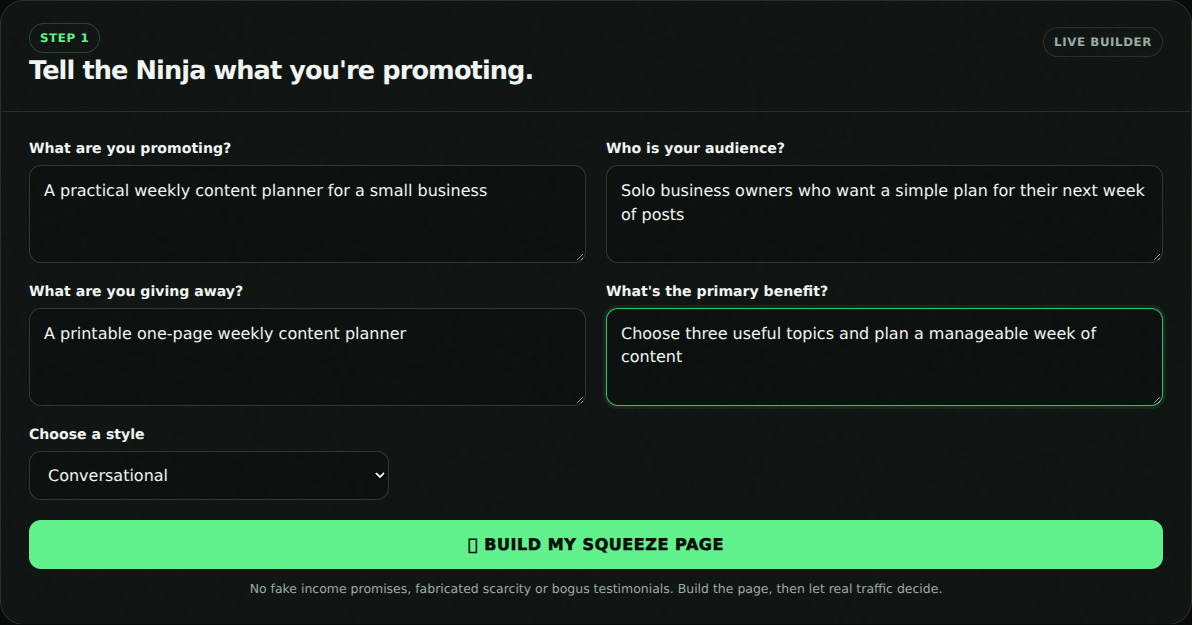 Open full-size screenshot ↗
Review the AI-assisted draft, choose a layout and edit the headline, benefits and button text. The preview updates as you type. Use Save Pages to keep your changes.
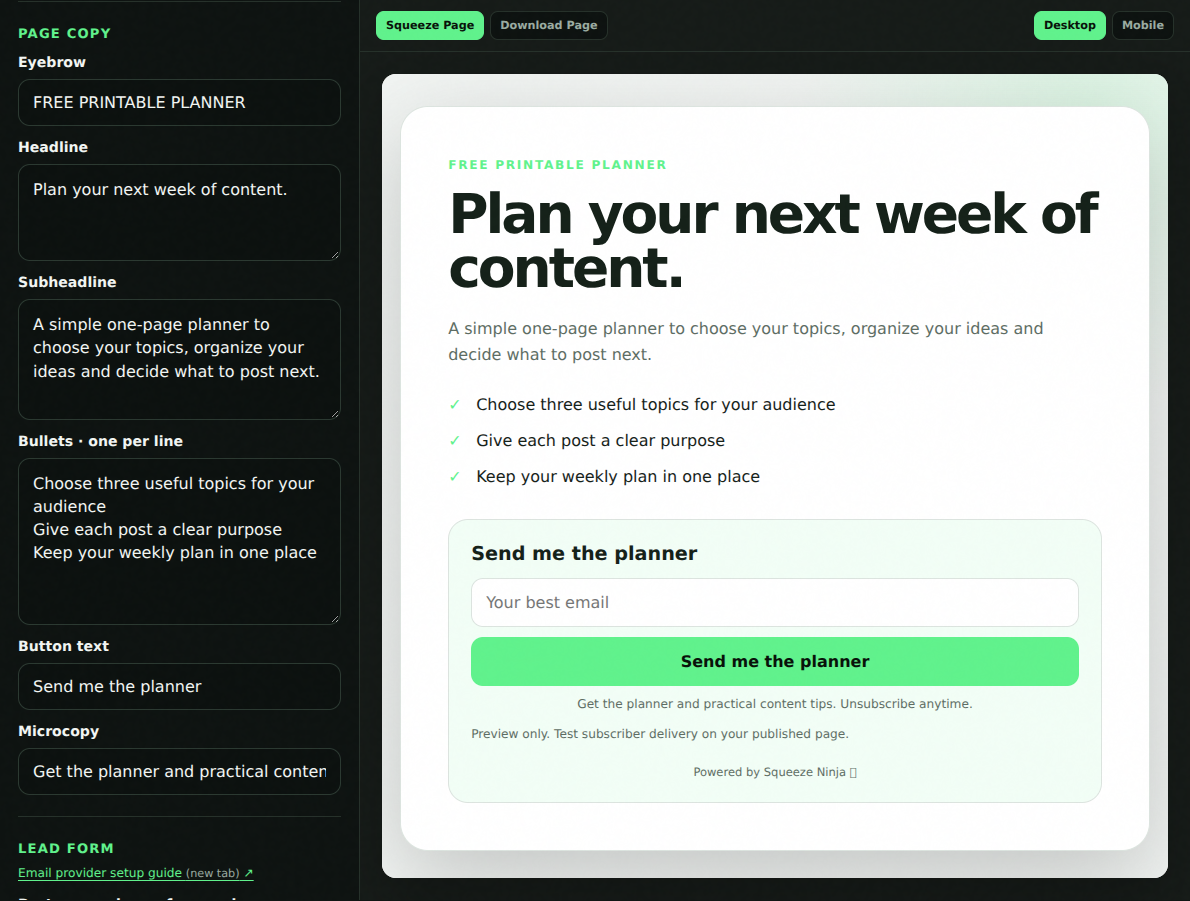 Open full-size screenshot ↗
Switch between Desktop and Mobile in the preview before exporting. Free includes five AI page generations per month and keeps the Ninja promotional placements.
Copy your public signup form code from your email provider, paste it into Lead form and select Import Form. Automatic mode matches supported HTML forms to your page. Supported script embeds keep the provider’s design.
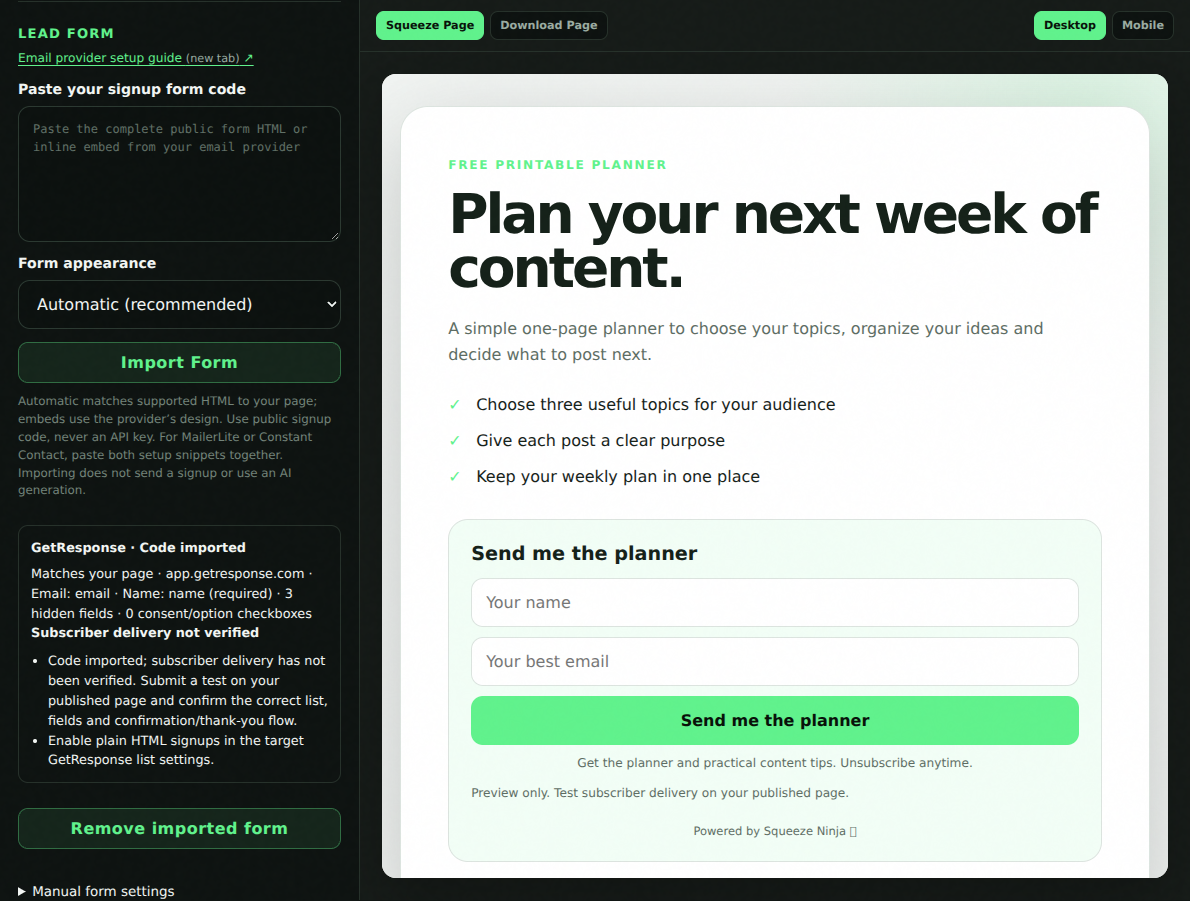 Open full-size screenshot ↗
The setup guide covers GetResponse, AWeber, Mailchimp, Kit, ActiveCampaign, MailerLite and Constant Contact. Supported formats vary. Paste public form code, never an API key, and follow your provider’s confirmation and redirect instructions.
Email provider setup guide (new tab) ↗Add your resource URL, edit the message and switch to the Download Page preview. After uploading the exported download page, configure your provider’s thank-you or confirmation flow to send subscribers there.
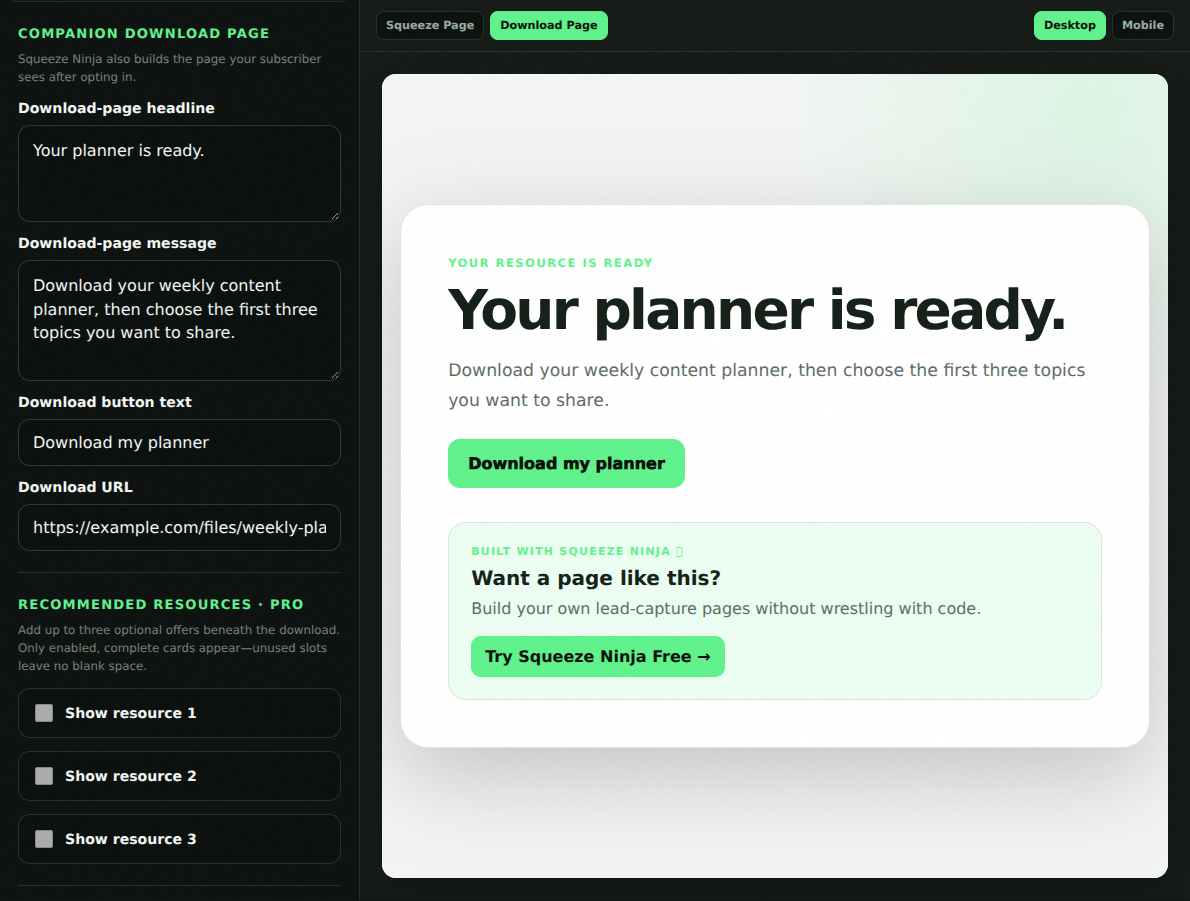 Open full-size screenshot ↗
Changing the download-page design does not automatically change your email provider’s redirect or confirmation settings.
Select Download Both Pages and upload the HTML files to your host. Replace any example addresses, connect your provider’s delivery flow and make a real test signup using an email address you control.
Check that the address reaches the intended list, complete any confirmation step, then open the download page and resource. Record your test in Ready to Publish? after you have done it.
Publishing instructions (new tab) ↗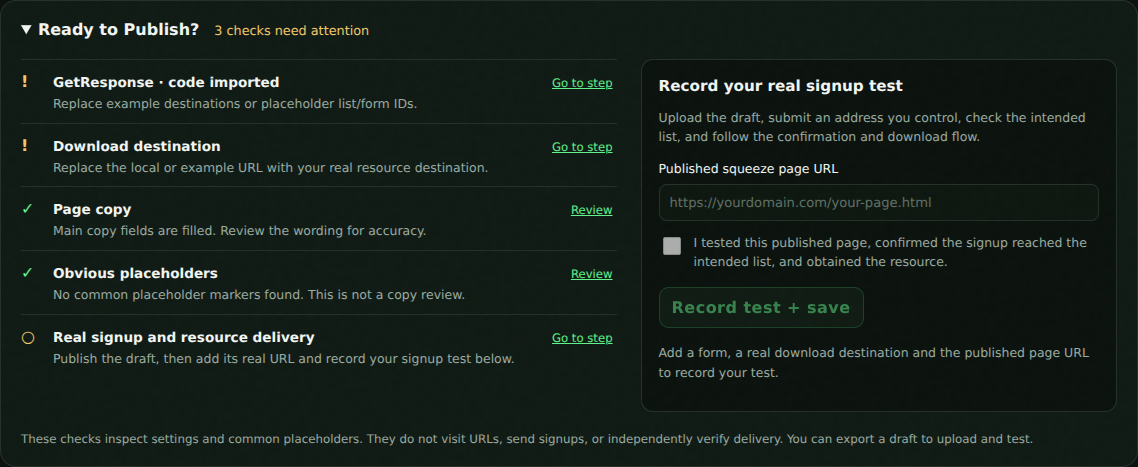 Open full-size screenshot ↗
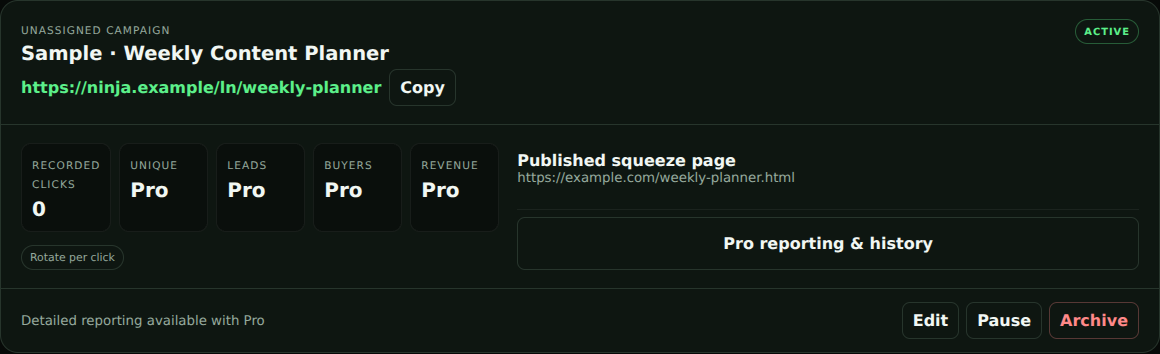
In Member Hub, continue your campaign checklist into Link Ninja. Review the prefilled published-page address, choose an available slug and create the link. Use that link when you share your campaign; you can change its destination later.
Free Link Ninja access supports one destination per link and recorded click totals. Advanced controls and reports depend on your access. During private beta, additional features may be unlocked.
 Open full-size screenshot ↗
Create your free account, build your first page and follow the campaign checklist in Member Hub as you get ready to publish.
Free: five AI page generations per month, three core layouts, saved projects and HTML export. Premium layouts and the email Campaign Pack are paid features.